


Search engine
Announcements from e-Zamówienia, TED, platformazakupowa.pl, and the Competitiveness Database, as well as smaller orders below the threshold.
Find a tender for your company. Check the requirements and deadlines. Decide whether to prepare an offer.
Find
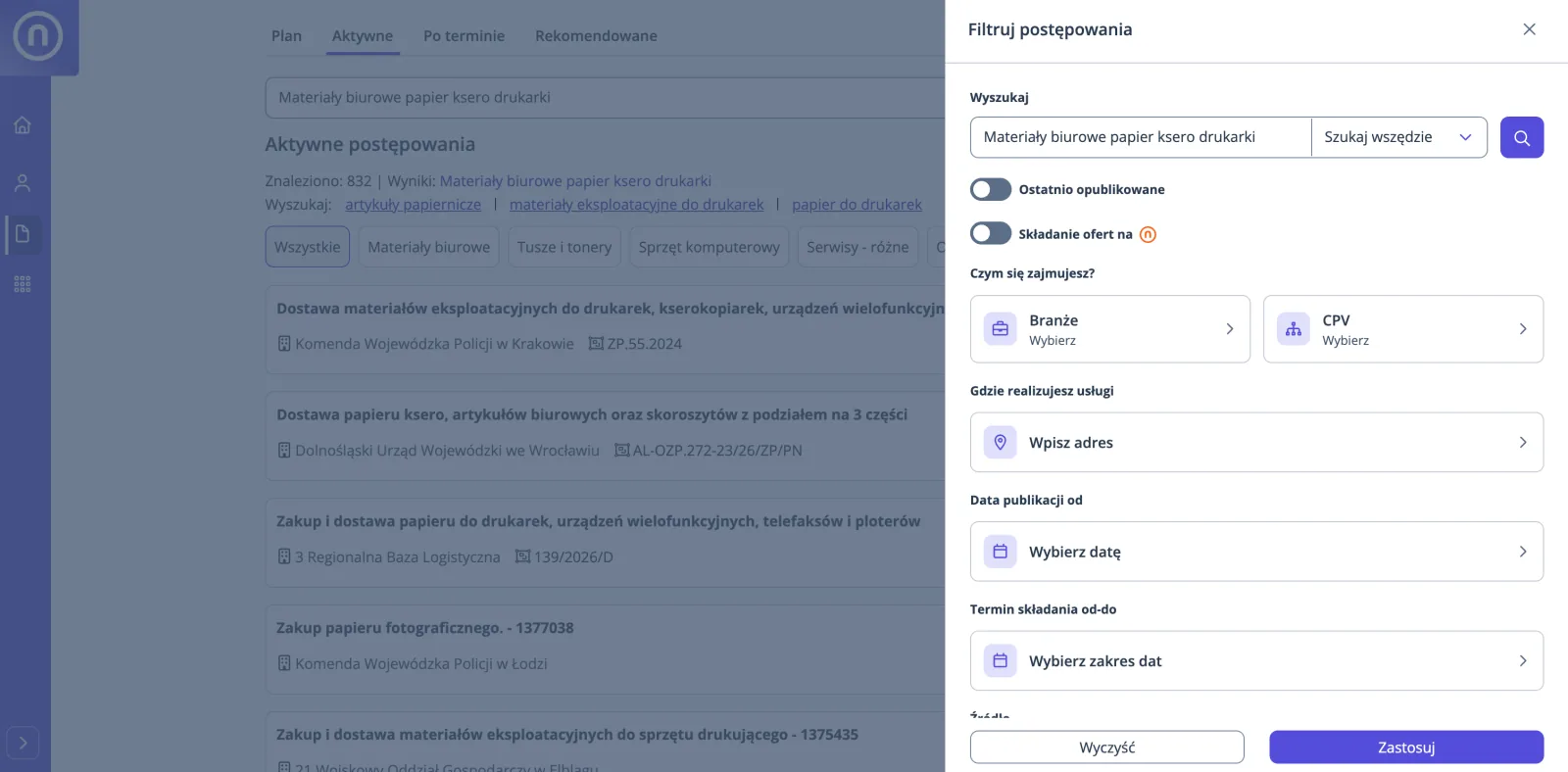
Search by industry, location, and what you offer.
Announcements from e-Zamówienia, TED, platformazakupowa.pl, and the Competitiveness Database, as well as smaller orders below the threshold.
Indicate the company's registered office and the radius in which you execute orders.
Enter a service or product. Matching words will be highlighted in titles, also in different forms. CPV code is not necessary.
Start from the industry and narrow down the results to what you do.
You save a set of filters under your own name and return to it with one click. "Recently published" shows procedures from yesterday and today.
The "Recommended" tab suggests tenders similar to those you are browsing and following.
See what the institution plans to buy this year, before it announces a tender.
Without logging in
You can view the list of active procurement procedures without creating an account.
See tendersCheck
The procedure card and document analysis show the conditions for participation, deadlines, and required documents.
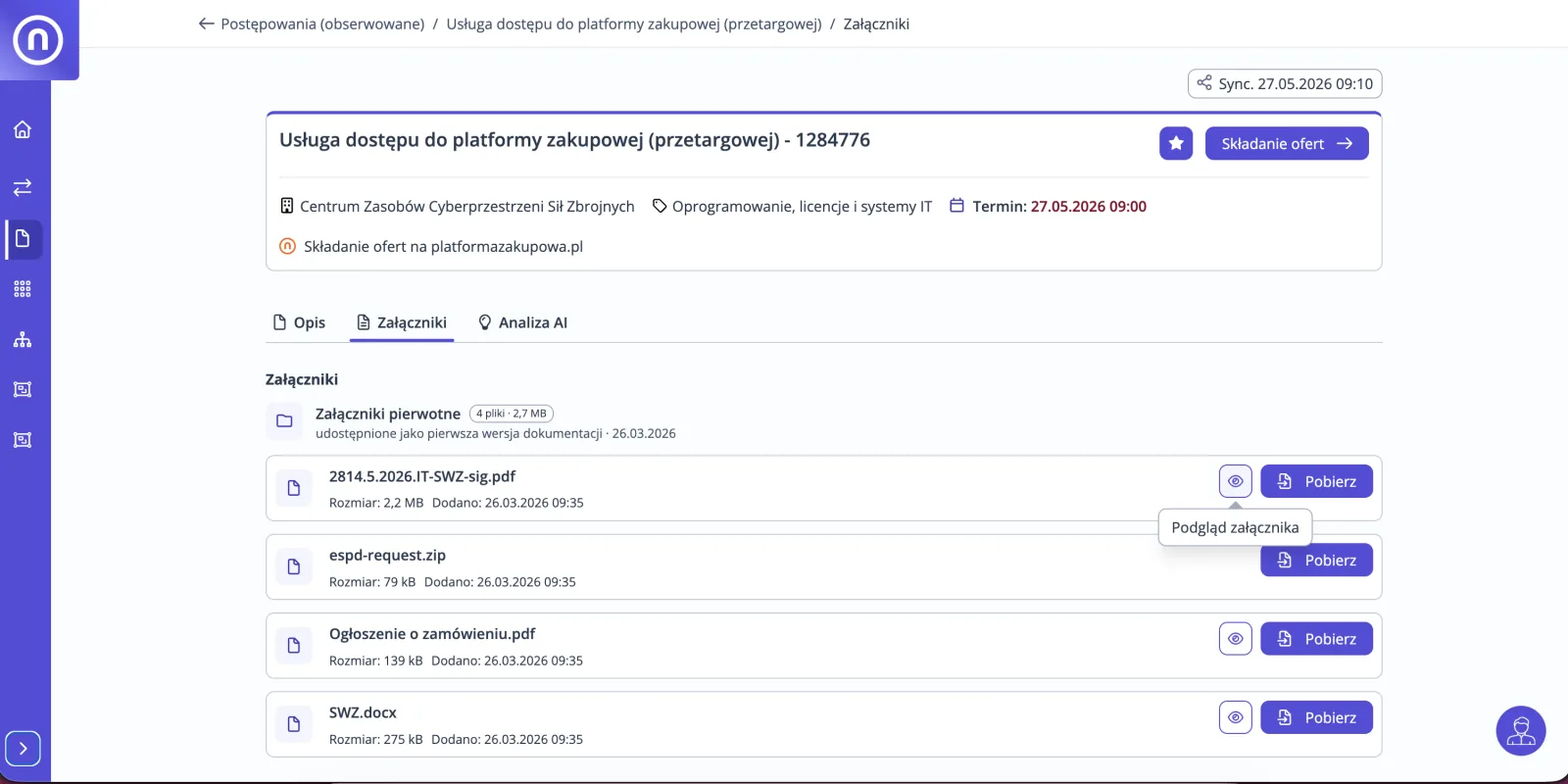
On the procedure card, you can see the buyer, the deadline, and the source of the announcement. Attachments are arranged chronologically, and you can preview PDFs without downloading them.
Participation conditions, deadlines, and required documents in a readable summary. The analysis is prepared automatically for procedures with attachments.
Show sourceopens the relevant passage in the document beside the answer.
Plan
Monitor selected procedures and check their deadlines in the calendar.
Procedures you want to return to are on one list, starting from the nearest deadline.
Deadlines for monitored procedures in week or month view, with urgency colors.
Deadline for questions to the SWZ, buyer's responses, submission of bids, and tender validity. Rules from the PZP and places where you can see them in openSales.
Secure
If the procedure requires bid security, you will see it on the procedure card.
From the procedure card, you will go to the application for a bid guarantee from our partner, Gwarancje24.
We store and analyze documentation in Poland. openSales is backed by OpenNexus with four certificates issued by TÜV NORD.
Still have a question? Contact us
List of active procedures with filters, procedure card with deadline counter and attachment preview. An account is useful for filter sets, Observed, calendar, recommendations, and document analysis.
Search engine with filter sets, Observed, calendar, and document analysis. The account is without a card and without a time limit.
Where the buyer conducts the procedure. From the card you will go to the bid submission page. If the procedure is held on the openBuy Platform, you log in with the same OpenNexus account details.
No. New announcements from yesterday and today are shown in the 'Recently published' filter, and you can open a saved filter set with one click.
Find a tender for your company. Decide whether to bid.
You can view the list of active procedures without logging in. An account is useful if you want to save a search and follow procedures.